CaptureScroll - Full Page Screenshot
CaptureScroll turns an entire webpage into one clean PNG, even when the page is longer than the screen. Capture a full scrolling page, the visible browser area, or one selected element without creating an account or uploading the result.
It handles lazy-loaded content, sticky headers, internal scroll areas, and page-specific cleanup while keeping screenshots and capture data on your device.
Install on Chrome Web Store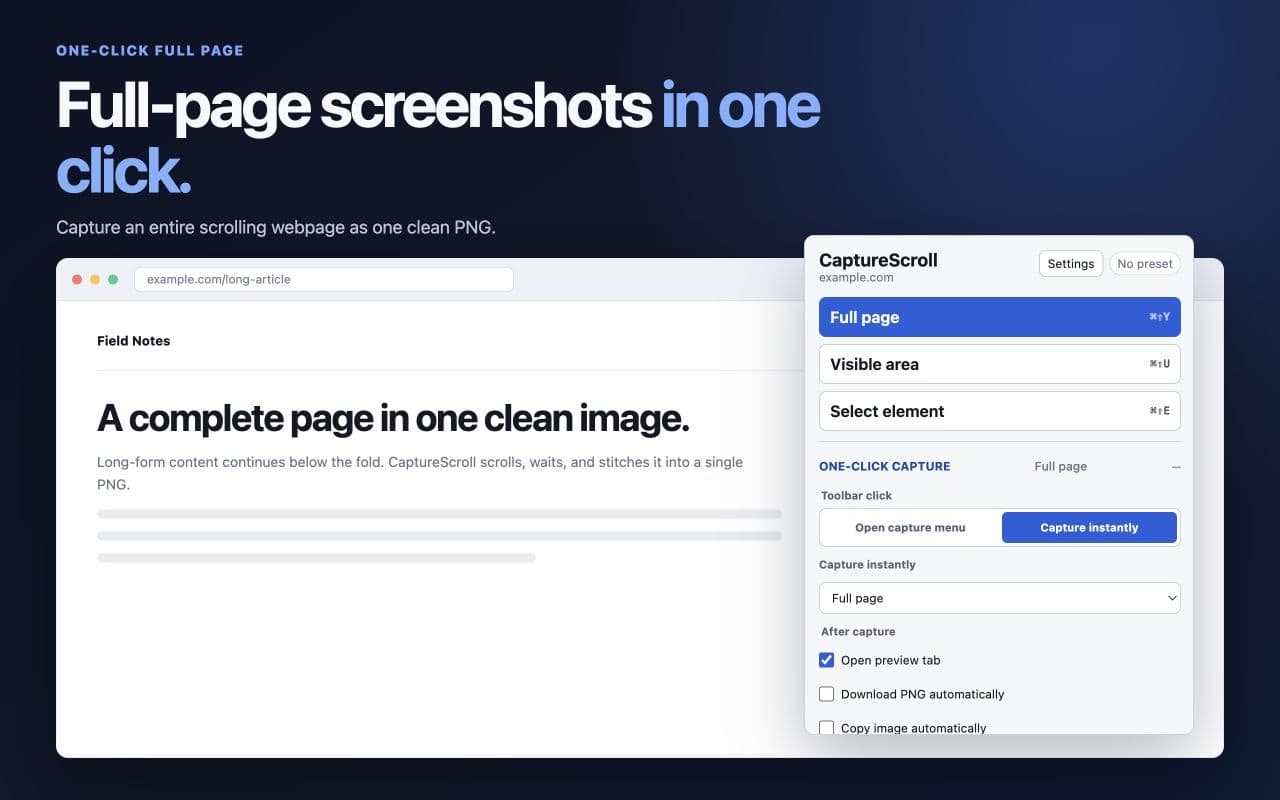
Features
- Capture a full scrolling webpage as one stitched PNG.
- Capture the visible area or select one element on the page.
- Load lazy page content before a long-page capture.
- Include floating headers once, on every section, or hide them while stitching.
- Temporarily hide overlays and save page-specific capture presets.
- Preview, download, copy, or automatically save completed captures.
- Runs locally with no account, analytics, advertising, telemetry, or remote service.
Known limitations
- Works on normal HTTP and HTTPS webpages and on local files when Chrome file access is enabled.
- Chrome pages, extension pages, the Chrome Web Store, and other protected browser surfaces cannot be captured.
- Very large pages are stopped before they exceed conservative browser canvas limits.
- Complex nested scroll regions, scroll snapping, or unusual sticky overlays may require selected-element capture or manual cleanup.
- Clipboard access can be limited by Chrome; Download PNG remains available as a fallback.
Why I built it
Full-page screenshots should be a small, dependable browser utility: click once, capture the page accurately, and keep the result private. CaptureScroll is built around that job instead of accounts, cloud storage, or an oversized editing suite.
CaptureScroll is an independent Latent Builds product. Chrome is a trademark of Google LLC; no affiliation or endorsement is implied.